Don’t End Up on r/TVTooHigh
We’ve all seen the pictures on social media or forums like r/TVTooHigh—a beautiful TV mounted far too high on the wall, making the entire room feel off-balance and causing neck strain for anyone trying to watch. It’s the kind of mistake that’s easy to make, but difficult to fix, especially if you’ve already drilled into your walls. When it comes to (https://northteam.ca/tv-wall-mounting/) TV Wall Mounting in Toronto, knowing how high to mount your TV is essential to creating a comfortable and ergonomic viewing experience.
Mounting a TV may seem like a simple task, but the height at which you mount it can have a significant impact on your comfort and health. In this post, we’ll dive deep into the ergonomics of TV viewing, explaining the right height for your TV based on biological factors and room setup. Whether you’re mounting a TV in your living room, bedroom, or above your fireplace, we’ll answer the important question: How high should I mount my TV?
The Golden Rule: Eye Level is Key
When it comes to TV mounting, the golden rule is simple: eye level is key. The ideal height for your TV should be at your eye level when you’re sitting comfortably. But what does this mean in practice?
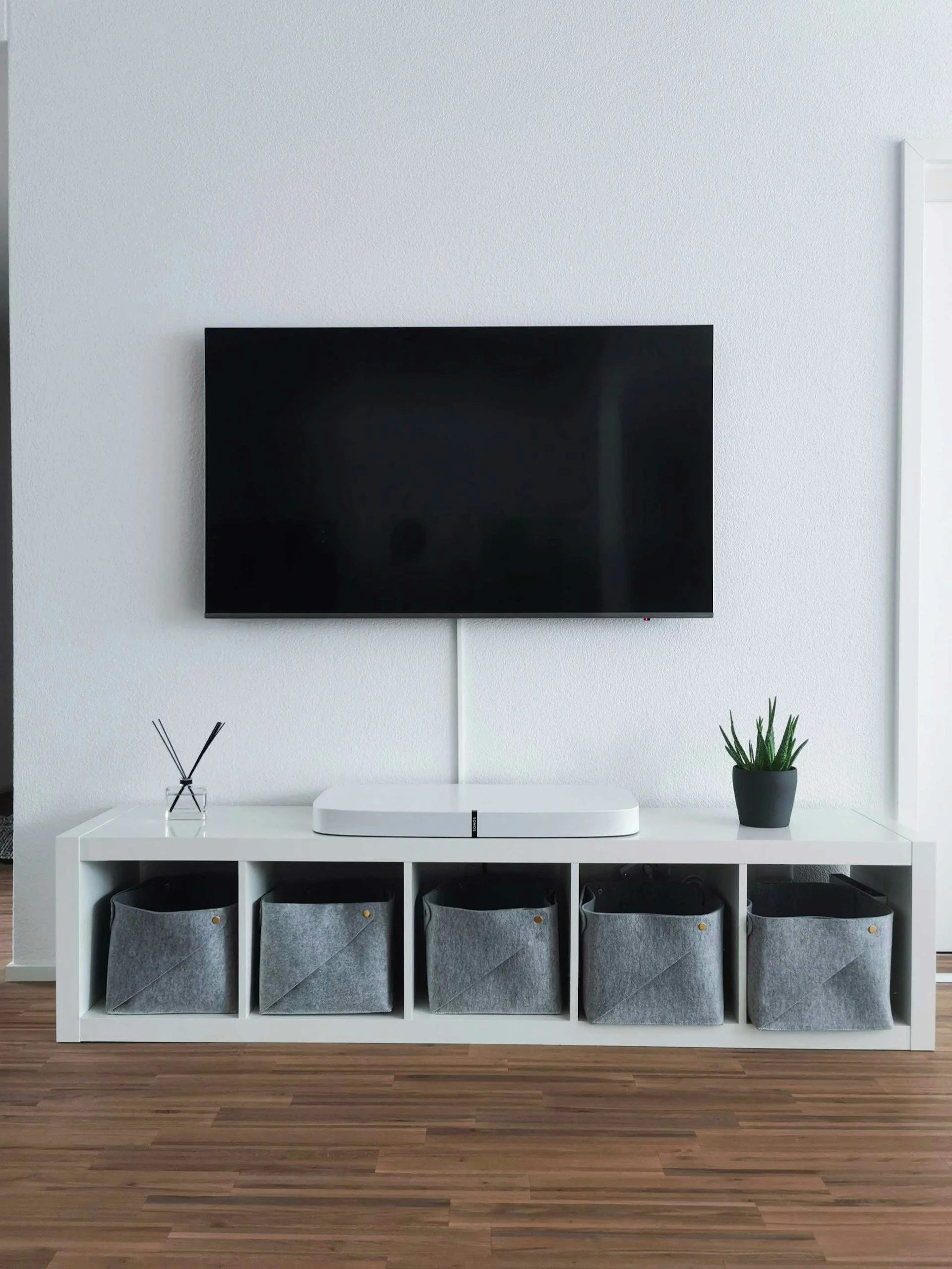
A good rule of thumb is to position the center of the screen at about 42 inches from the floor, which is generally around eye level for an average seated adult. This ensures that you’re not straining your neck to look up or down at the screen.
Why does this matter? Let’s break it down. The neck muscles are designed to hold your head upright, but when you constantly have to crane your neck—whether up or down—it can lead to discomfort and even long-term neck strain. This can become even more of an issue if you’re watching TV for long periods, such as during a movie marathon or binge-watching a series.
This ergonomic positioning is especially important if you’re mounting the TV in a home theater setup or living room where you plan to watch for extended periods. The weight capacity of the TV and how it’s mounted also plays a role here. A full-motion bracket or tilt mount allows you to adjust the TV’s angle for optimal viewing if your seating position changes.
Distance vs. Resolution: How 4K/8K Allows You to Sit Closer Without Seeing Pixels
With the rise of 4K and 8K TVs, the old rule of sitting far back to avoid seeing pixels has changed. High-resolution screens offer much crisper images even at closer viewing distances, meaning you can sit a little closer to the TV without sacrificing image quality.
For example, with a 4K TV, you can sit at a closer distance than you could with a 1080p TV. The pixels are much smaller, and the higher resolution results in sharper images even at short distances. In fact, for optimal viewing, 4K TVs can be placed closer to your seating area. For a 55-inch 4K TV, a viewing distance of around 4-7 feet is ideal, while for a 65-inch, sitting between 5-8 feet away would give you the best experience.
However, just because you can sit closer doesn’t mean you should place the TV too high. It’s still important to ensure that the center of the screen is at eye level. If you mount the TV too high, you’ll still strain your neck, no matter how close you sit.
This is especially crucial for those who opt for ultra-high-definition content, such as streaming in 4K or playing video games on 4K-capable systems. HDMI cables and other connections should be neatly managed as well to maintain the aesthetics of your setup.
Scenario: The Bedroom – Why Bedroom TVs Must Be Higher (Lying Down Angle vs. Sitting Up)
The bedroom is another area where mounting your TV presents unique challenges. When you’re watching TV in bed, your line of sight is dramatically different than when you’re seated in a chair or couch. When lying down, your line of sight is angled upward, so the ideal height for the TV is a little higher than in a living room or home theater setup.
Why does height matter here? When watching TV in bed, you don’t want to strain your neck looking upward for hours. Ideally, the center of the TV screen should be positioned around 4 to 6 inches above the headboard of your bed. This ensures that the TV is angled correctly, allowing you to watch comfortably from a reclining position.
If you mount the TV too low, you’ll be forced to look up at an awkward angle, resulting in discomfort. A tilt mount can help in this scenario, allowing you to adjust the TV’s angle and find the perfect viewing position.
Scenario: The Fireplace – Managing the Height Issue with Tilt Mounts
Mounting a TV above the fireplace is a popular choice, especially in open-concept spaces where you want the TV to be the focal point of the room. But there’s one big challenge with this setup: the TV can end up mounted too high for comfortable viewing.
When you mount your TV above the fireplace, it’s often positioned too high because of the height of the mantel. While this might look great aesthetically, it can be difficult to watch without straining your neck.
Tilt mounts are the perfect solution in this case. A tilt mount lets you adjust the angle of the TV downward, so you don’t have to crane your neck while watching. By tilting the TV slightly downward, you can create a comfortable viewing angle, even if the TV is positioned higher than eye level.
Another consideration when mounting a TV above a fireplace is heat. The heat from the fireplace can damage your TV over time, so it’s important to use a power bridge to manage cables safely and ensure that your TV’s 4K calibration isn’t affected by heat. Ensuring your TV mount has weight capacity and is correctly aligned is crucial to avoid damage.
Ergonomics of TV Viewing: How Height Affects Your Neck and Back
When mounting your TV, you should always consider the ergonomics of your setup. For optimal comfort, you need to reduce the strain on your neck and back while watching. This is where the biology of the human body comes into play.
Your neck muscles and spine are designed to support your head, but they’re not built to be held in an awkward or strained position for long periods. Studies have shown that constantly tilting your head up or down can lead to poor posture and result in chronic neck pain, tension, and even headaches. This is especially true for people who watch TV for extended hours or those with bad sitting habits.
If you have a TV mounted too high, you’ll likely feel tension in your neck and shoulders after a while. Level alignment is crucial to ensure your neck is aligned naturally with the screen. A good rule of thumb is to keep the center of the screen at or slightly below your eye level to reduce strain on your muscles.
Get Your TV Mounting Right with North Team
Mounting a TV in your home doesn’t have to be a stressful or uncomfortable experience. By paying attention to the height at which your TV is mounted, you can create a comfortable, ergonomic viewing setup that enhances your space without causing strain. Whether you’re mounting a TV in your living room, bedroom, or above the fireplace, there’s a perfect height that will optimize your viewing comfort.
At North Team, we specialize in TV Wall Mounting in Toronto, and we know the best practices to help you get your TV mounted at the perfect height for ergonomics, aesthetics, and comfort. If you’re still unsure about how high to mount your TV or need expert help with installation, don’t hesitate to reach out to us at (416) 268-2555. Let’s work together to create the perfect viewing experience for your home.